What Is My Schedule reads your store's own POS history, drafts the month's stylist schedule around your people and your rules, and sends the approved shifts straight into the Shortcuts booking system.
How it works
You stay in charge of every shift. The software handles the arithmetic of demand, availability, and hours that usually eats a Sunday afternoon.
Sales history from your POS shows when your busy days and slow days actually are, store by store.
Fixed-schedule stylists are placed first, then everyone else is filled against demand, your priority days first.
Drag, retime, or swap any shift. Nothing reaches your team until you press Publish.
Approved shifts land in the booking system as bookable hours, so customers can book them online.
Availability, time off, and weekly hour caps are hard limits. Auto-Schedule will not schedule over them, and it flags any open day it can't cover.
Building the schedule
Start from your sales history, from last month, from what your team actually worked, from last week, or from a blank cell. Use whichever fits the week in front of you.
Drafts the whole month from 13 months of POS demand, honoring availability, hour caps, time off, closed dates, and your rules.
Best for: a fresh monthClones last month's published shifts onto the new month by weekday. Closed dates and time off are skipped.
Best for: a schedule that already worksRebuilds a schedule from when your team actually clocked in over the last month, for everyone linked to the POS.
Best for: getting a new store startedOne click copies this week's shifts into next week, skipping closed dates, time off, and slots already filled.
Best for: steady weeksClick any empty cell and pick a shift template like Saturday or Weekday Standard, or set the times yourself.
Best for: quick changesEvery option lands as a draft. Nothing reaches your stylists until you press Publish, and a bad draft month can be cleared in one step to start over.
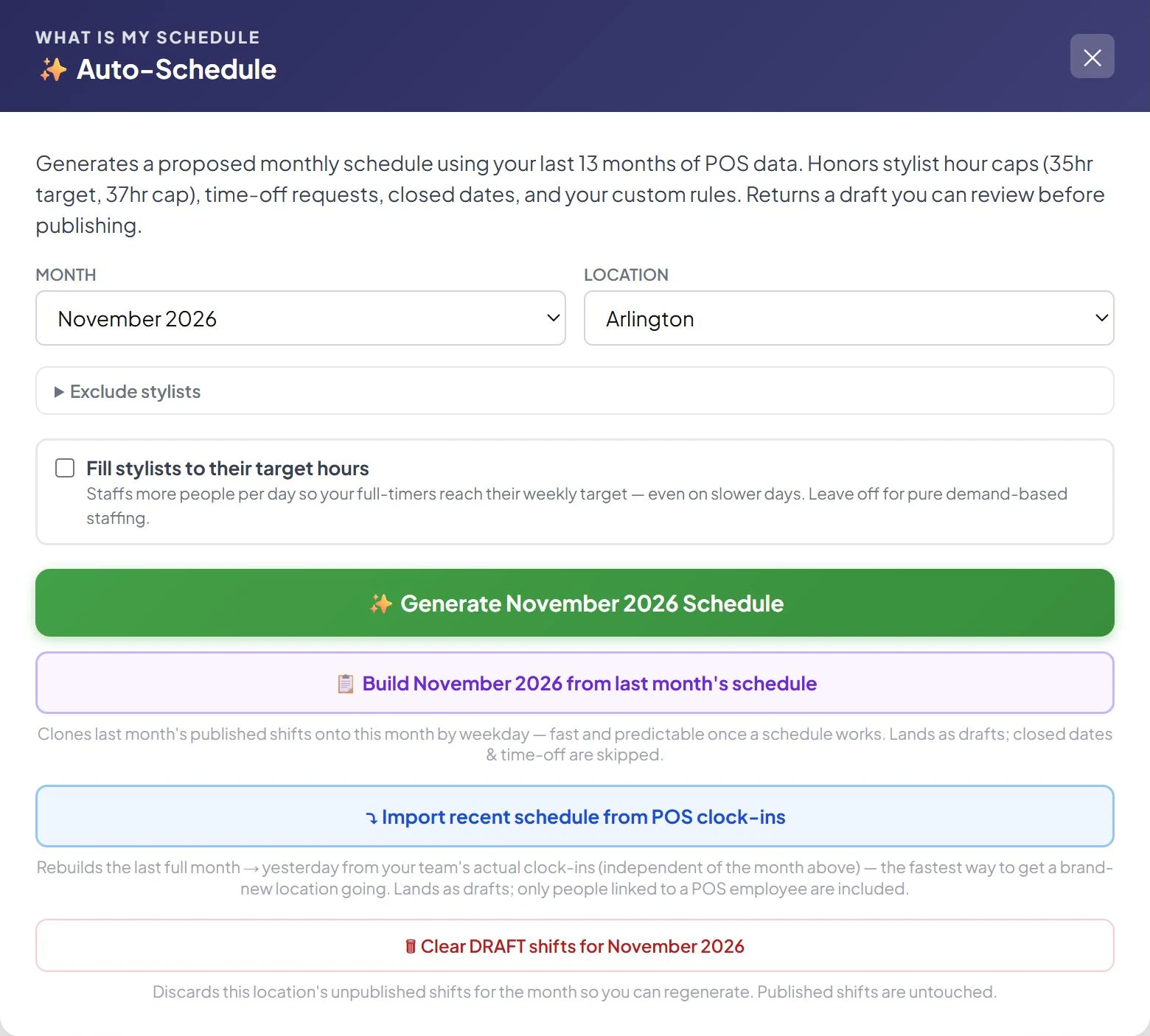
Auto-Schedule, build from last month, and import from clock-ins all start from this one window.
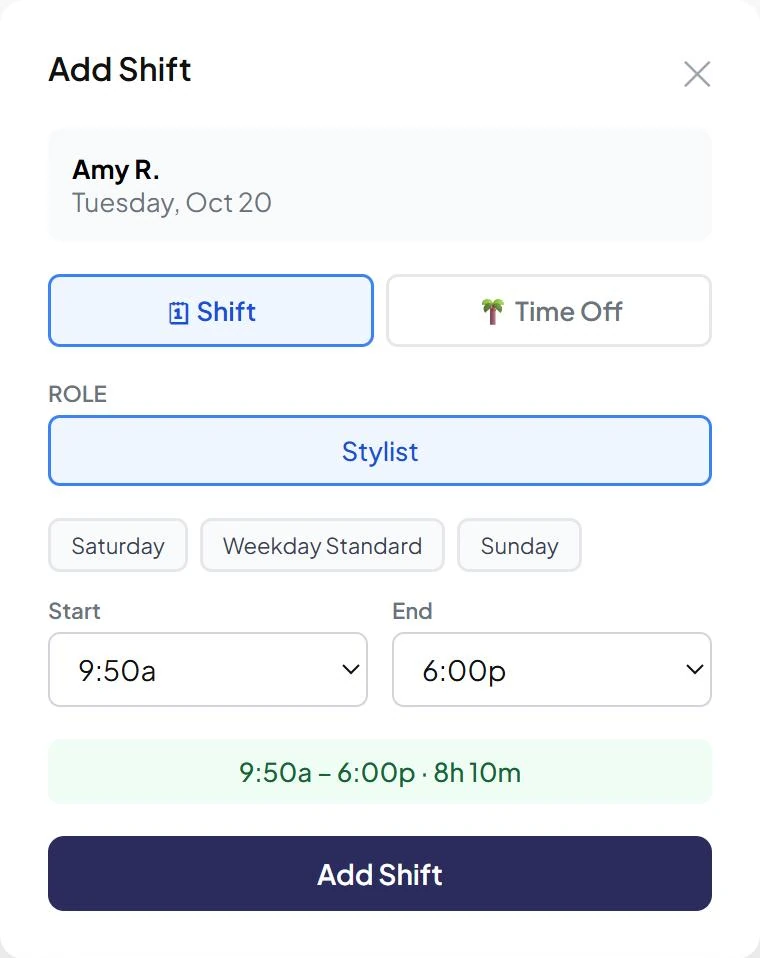
Adding a shift by hand: click a cell, tap a template, done.

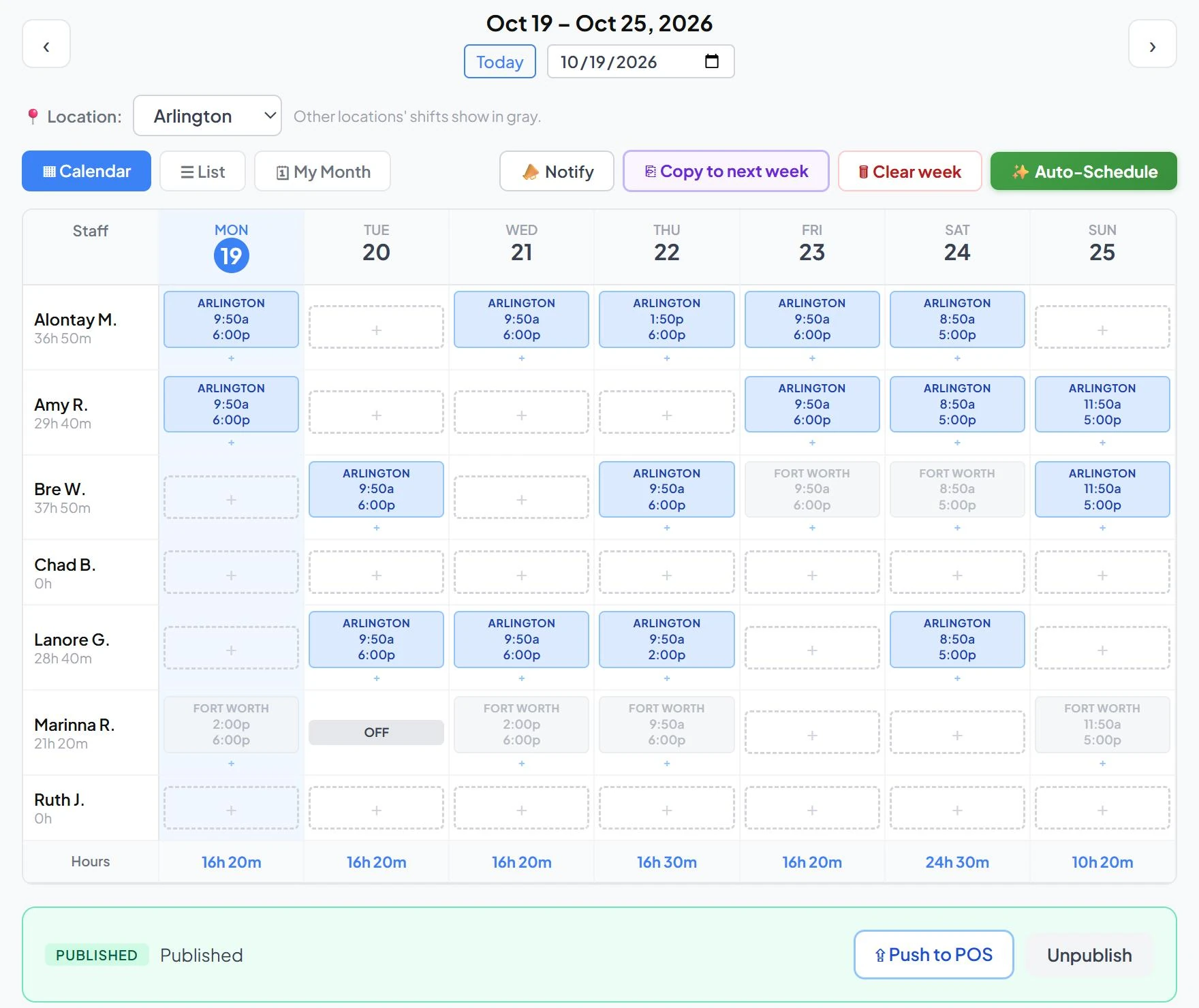
Copy to next week, Notify, and Auto-Schedule sit right on the schedule toolbar.
Features
One app for owners, managers, and stylists, with each person seeing only what their role allows.
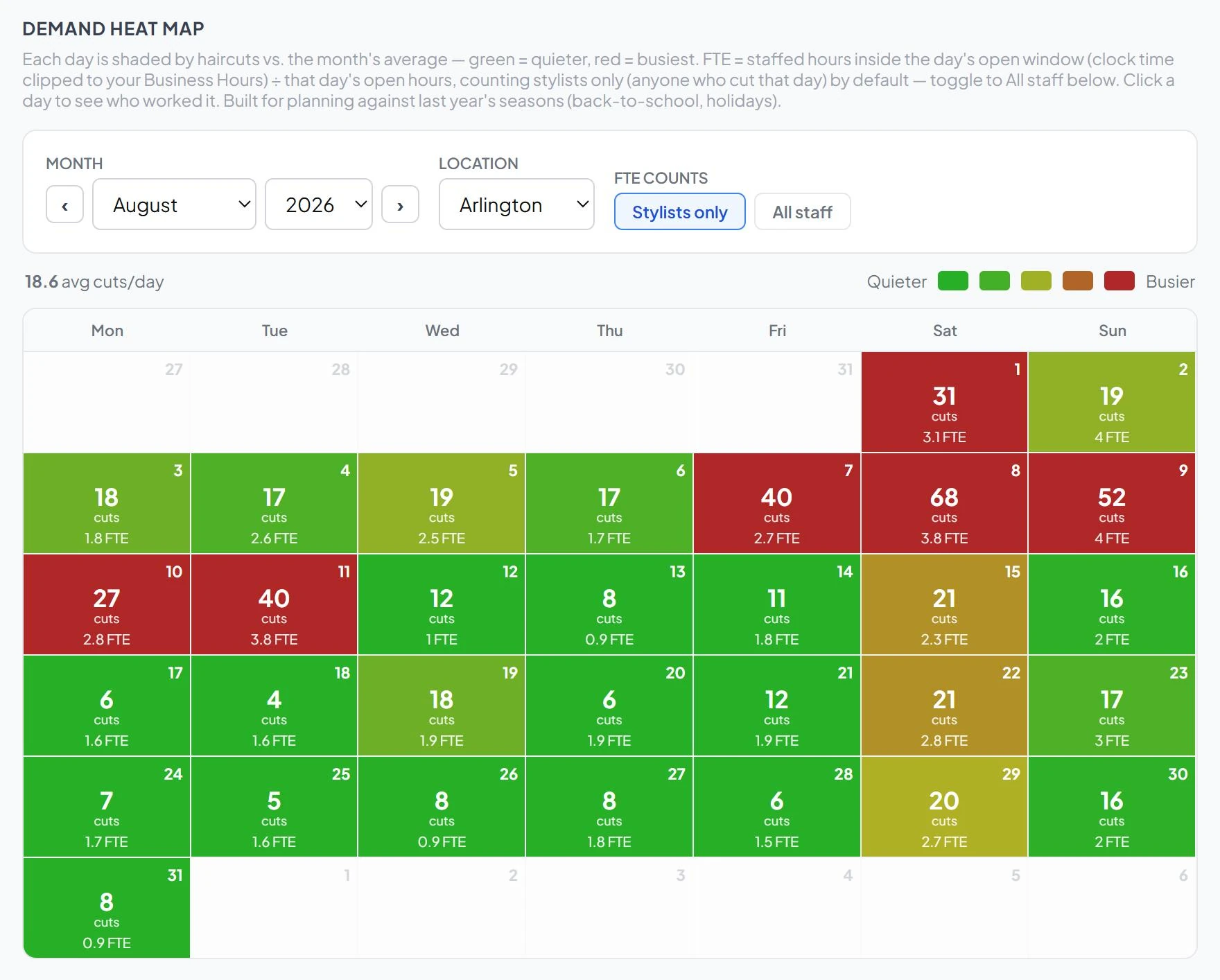
Every day is shaded by haircuts against the month's average, alongside the staffing you actually had. Back-to-school jumps off the page.
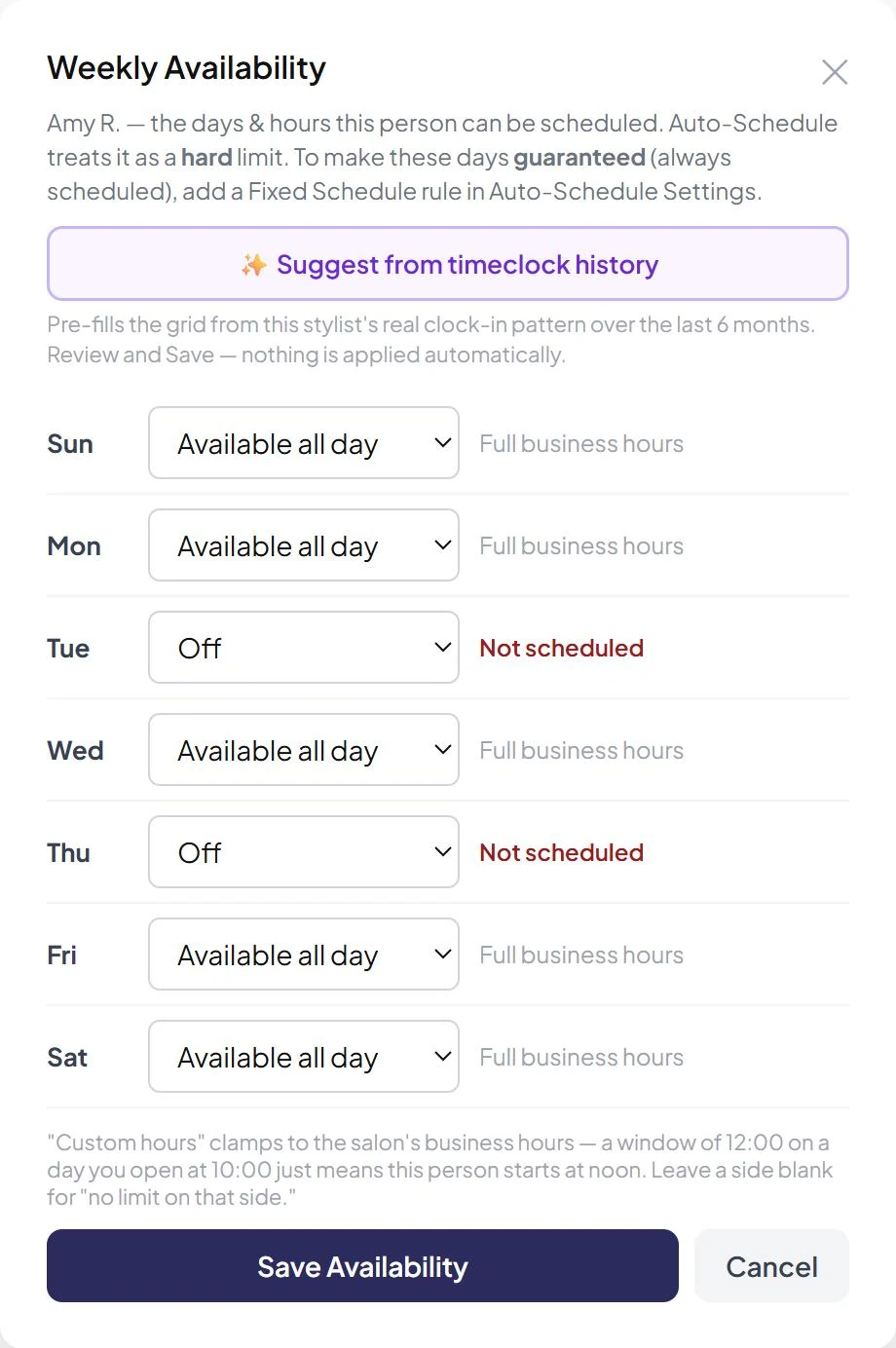
Set the days and hours each person can work: off, available all day, or custom hours. Auto-Schedule treats it as a hard limit.
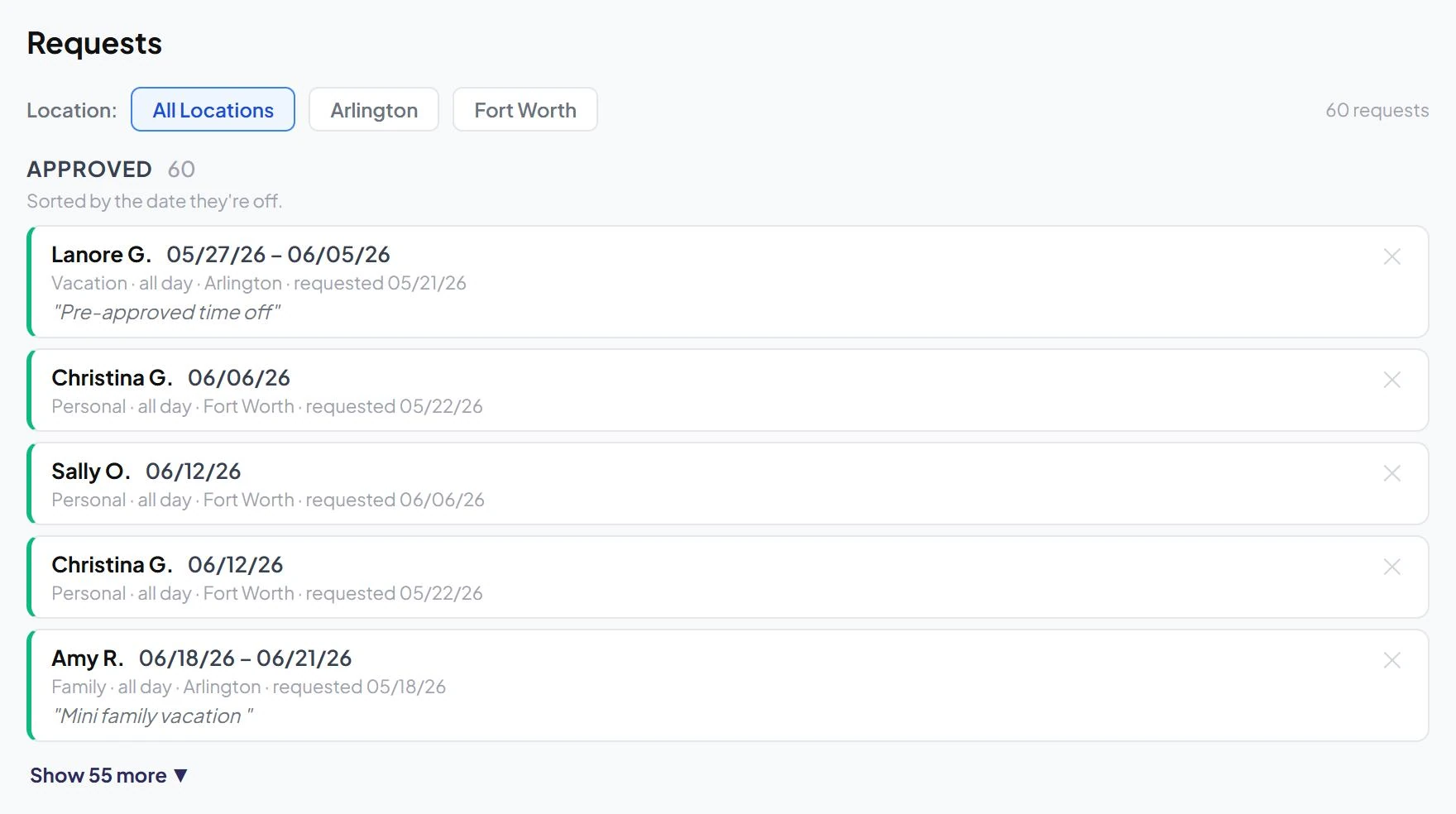
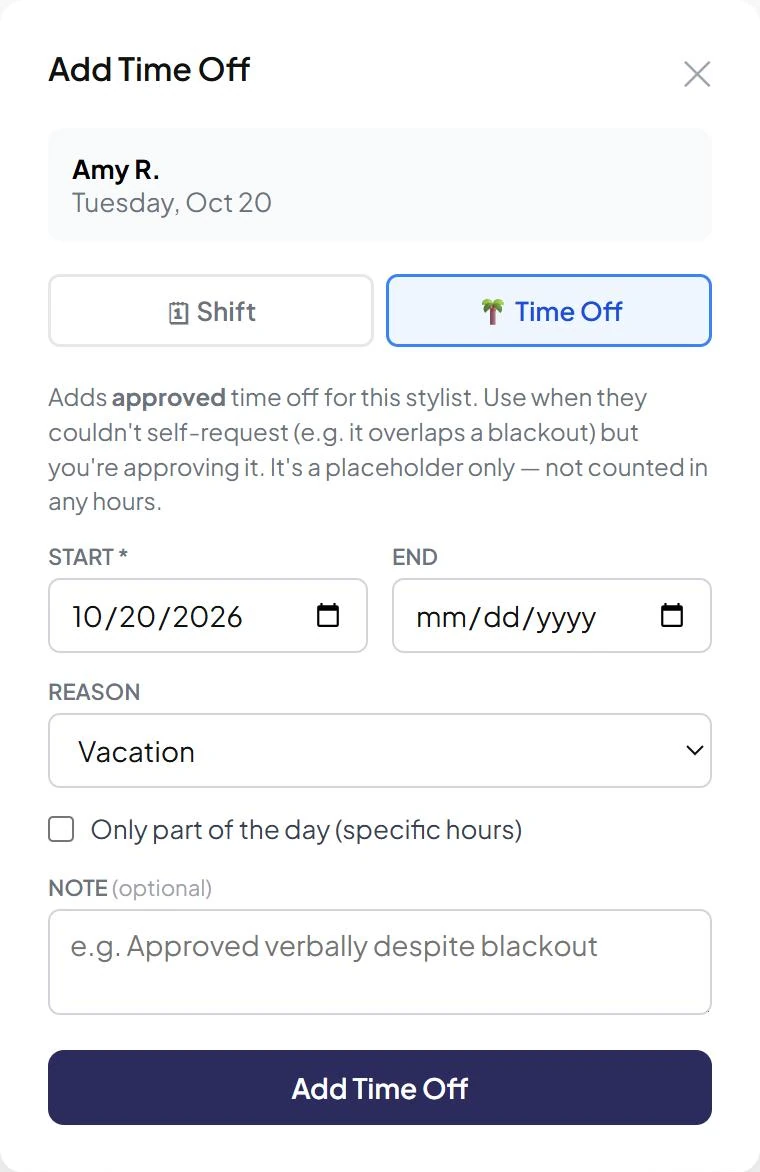
Stylists request time off from their phone, even part of a day. Managers approve or deny, and approved days show as OFF on the schedule.
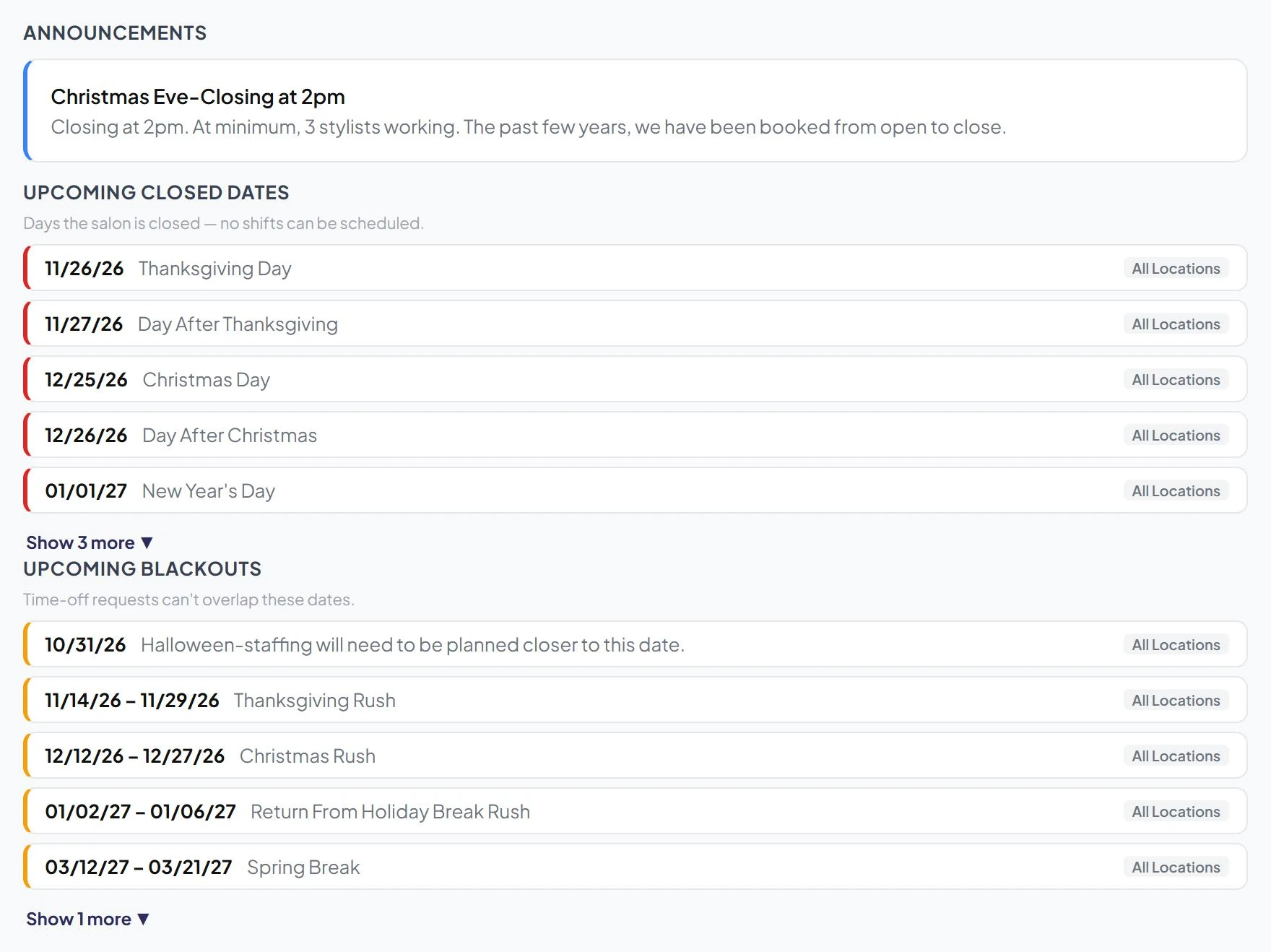
Everyone's dashboard shows your announcements, upcoming closed dates, and blackout periods, for all locations or just one.
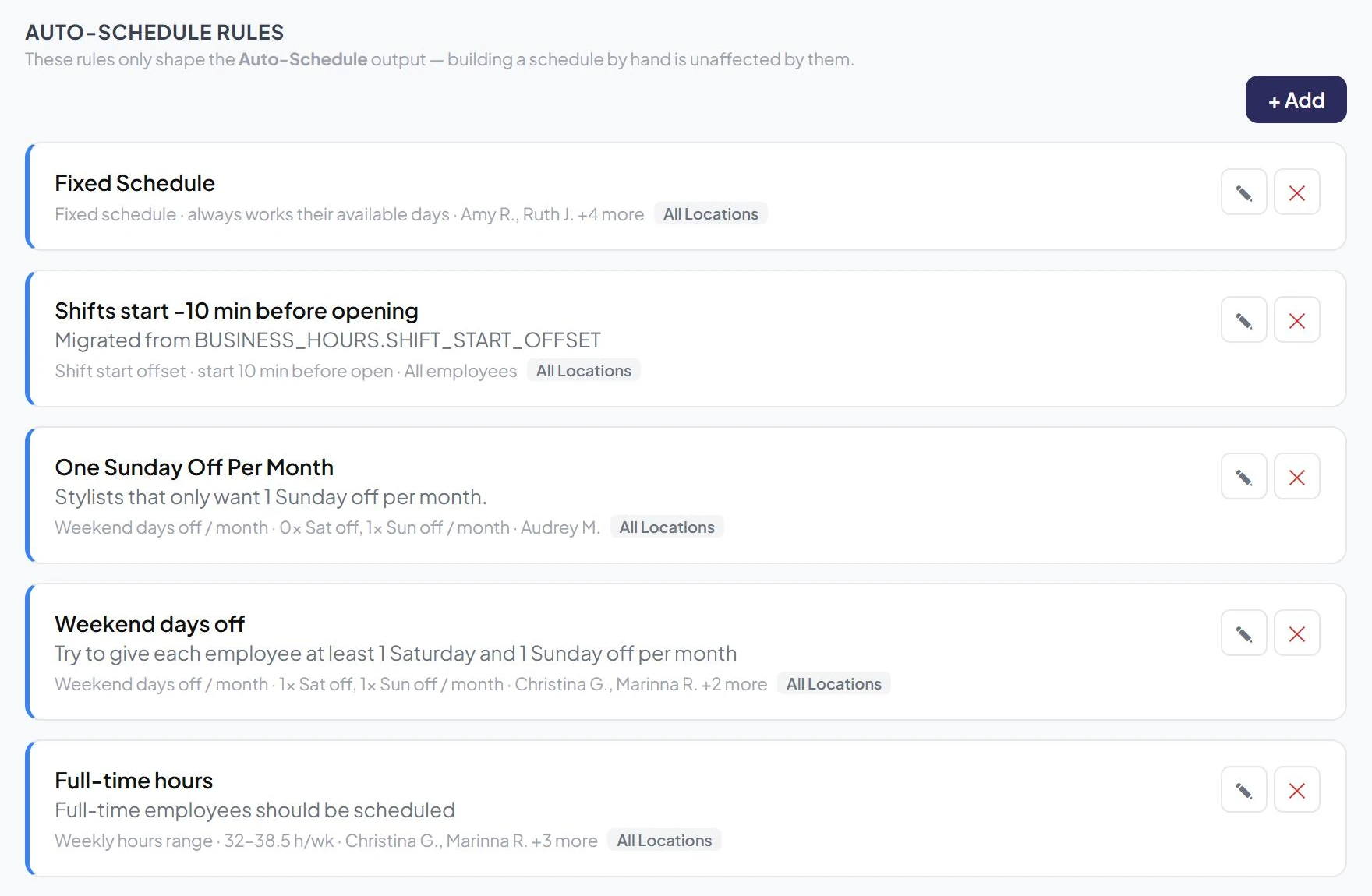
Set the rules you already run by once. Auto-Schedule applies them to every draft, for one stylist, a group, or the whole franchise.
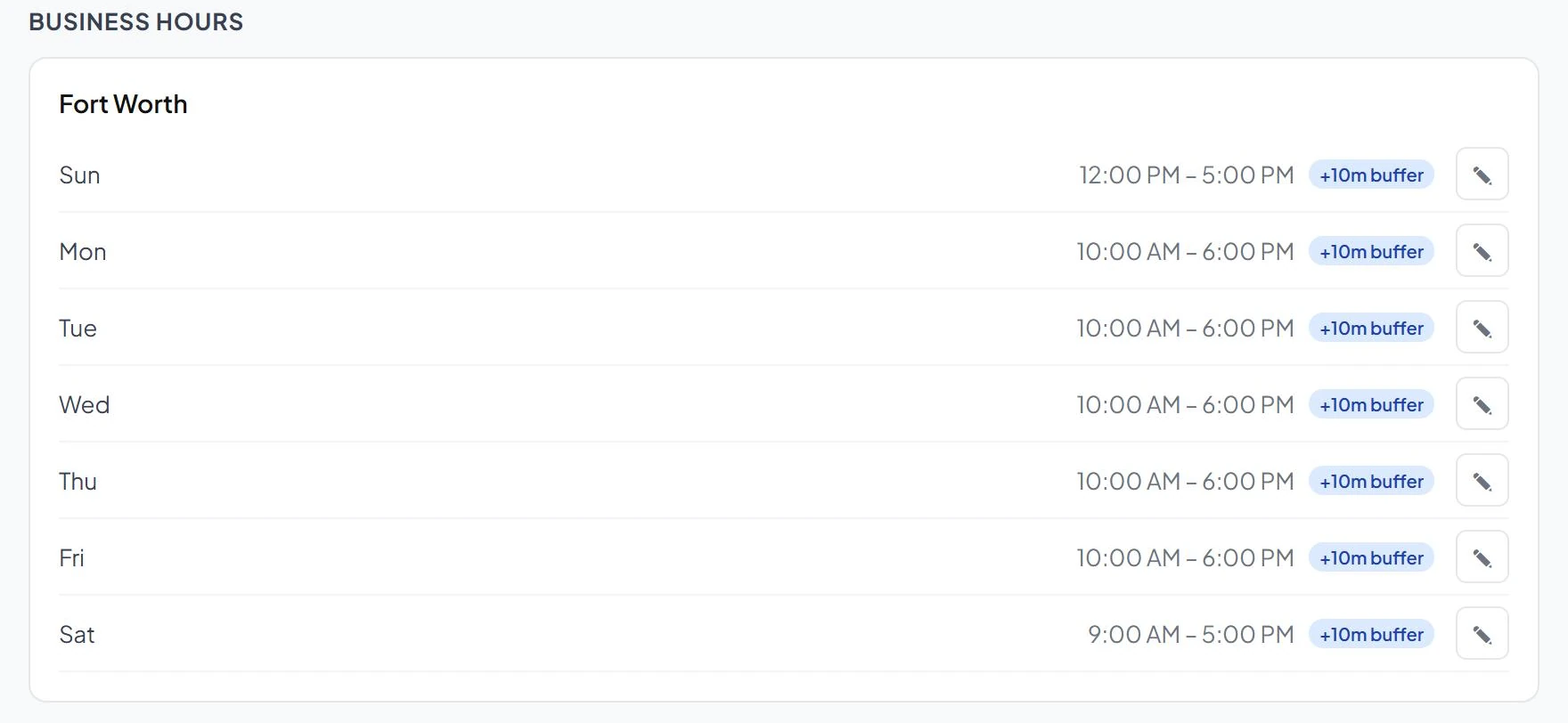
Open hours per location and weekday drive Auto-Schedule, the heat map, and what gets pushed to Shortcuts.
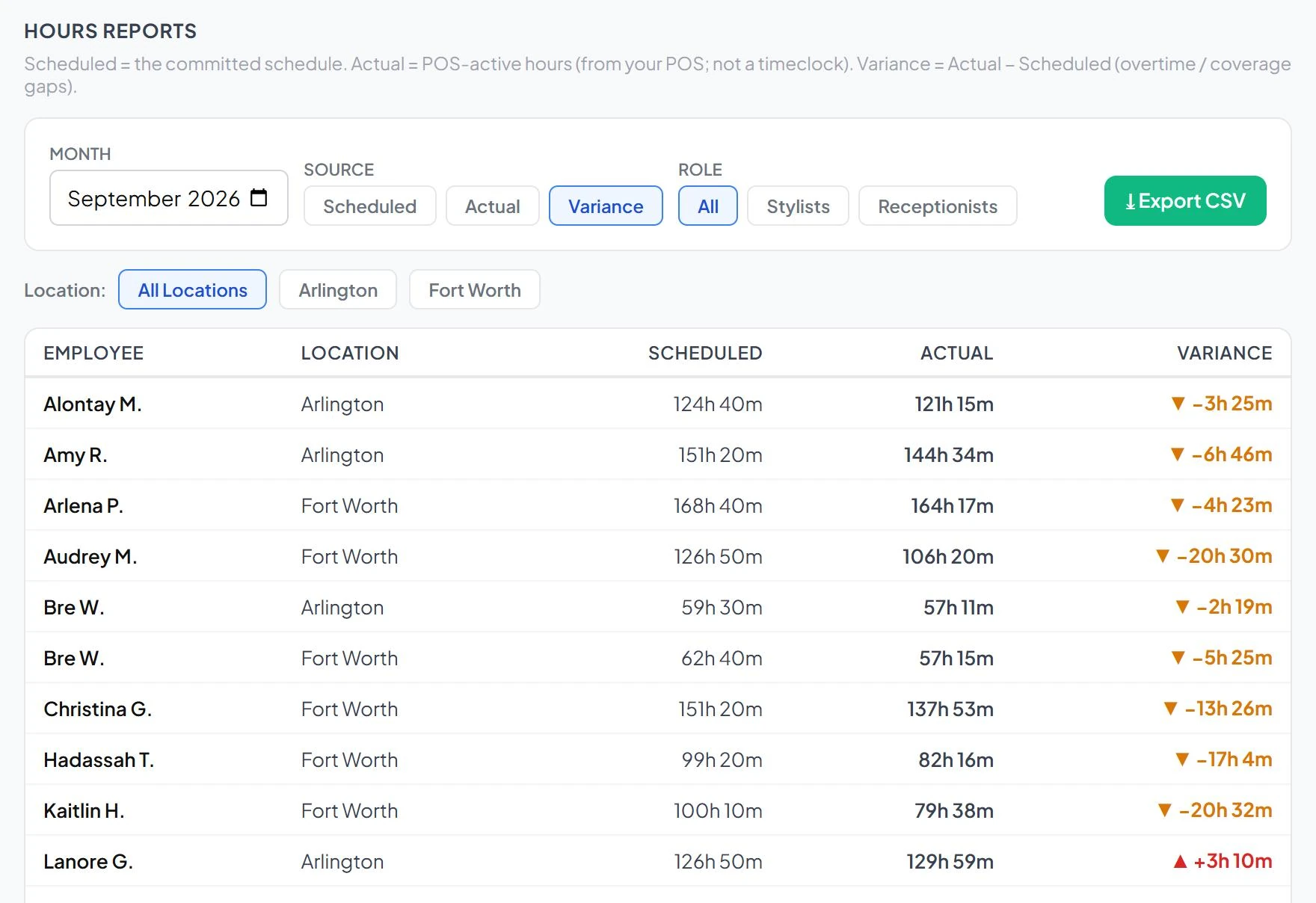
Compare the schedule you published with the hours your POS recorded, by stylist and by location, month over month.
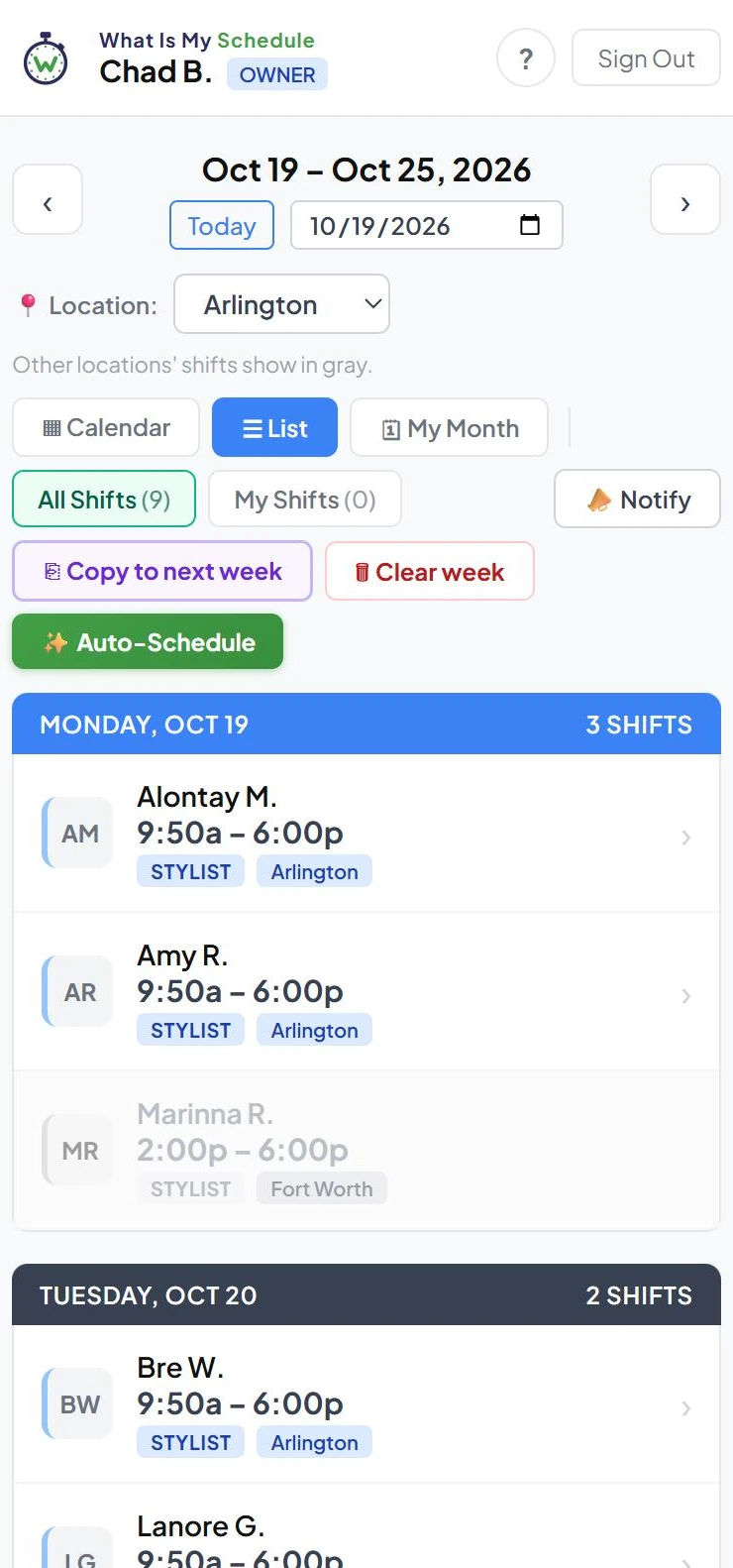
See the week by stylist, a day-by-day list, or just your own month. Shifts at your other stores show in gray.
Staff see the schedule when you publish, and one click emails your team when a published week changes.
Staff add it to their home screen from the browser and check their shifts anytime. No app store.
Invite people by email. Owner, manager, and staff permissions, plus dual-role stylist-receptionists without double-booking.
Run every salon from one login, with hours, rules, and reports per location.
See who published, unpublished, ran Auto-Schedule, or decided a time-off request, and when. Logins are tracked too.
Built for Cookie Cutters
No generic scheduling tool to bend into shape. It reads your POS history to build the schedule, and writes the result back to your booking system.
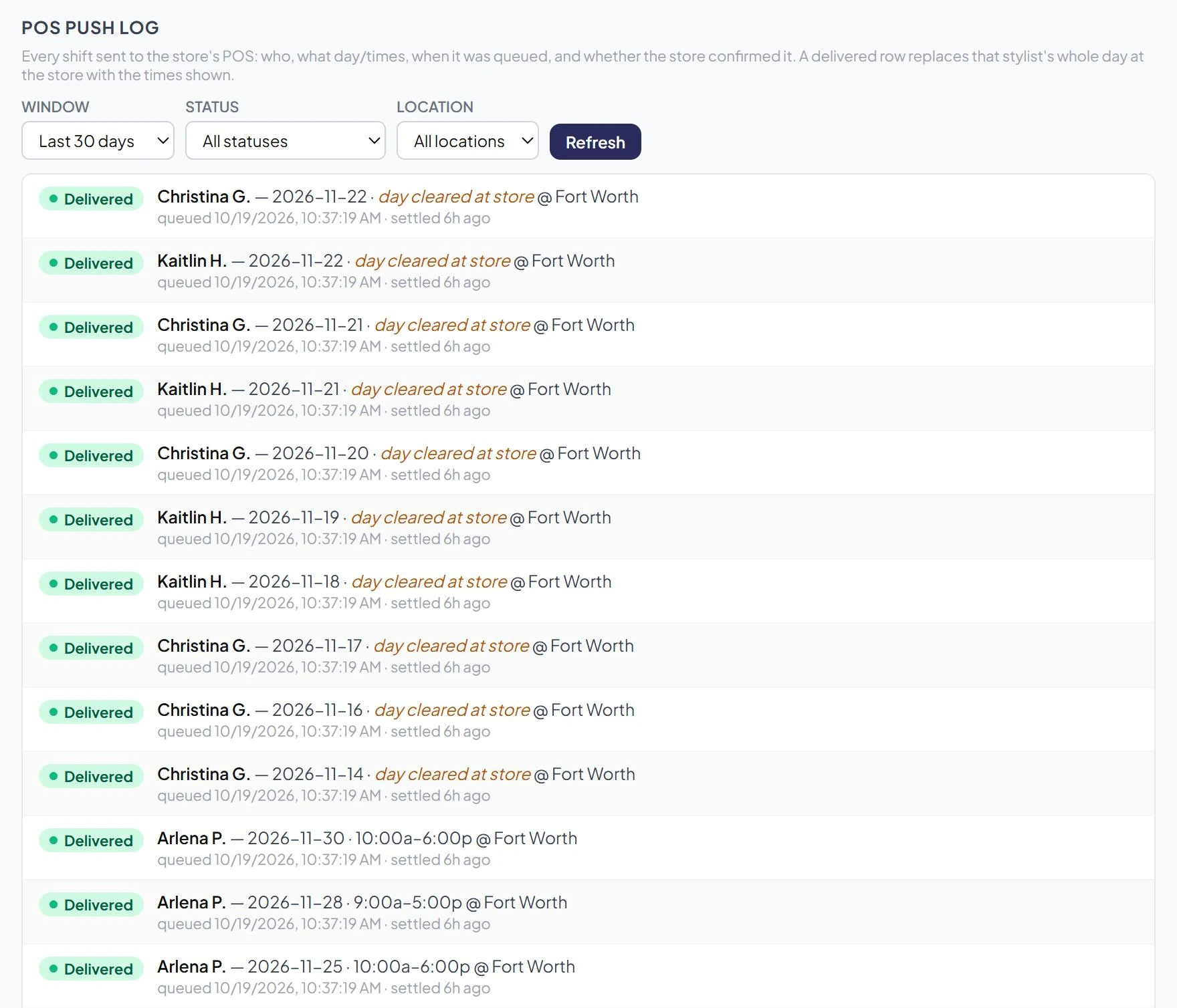
Approved shifts go into the Shortcuts appointment book as bookable hours. Publishing never sends anything on its own; pushing is a separate, deliberate step.
Start times allow for setup, and finish times round down to the 15-minute booking grid, so the online booking app never offers a slot a service can't fit.
Optionally push a draft week to Shortcuts, check it in the store's book, then publish to your stylists. You choose per location.
The push log shows each shift sent to the store and whether Shortcuts confirmed it.
From the salon floor
What Is My Schedule makes creating the schedule much quicker & efficient. It creates a heat map to show when we need to staff up without having to remember the exact days from the previous years. It also allows us to copy a week’s schedule and paste it to the next week and my favorite feature is the POS syncing to guarantee the schedule matches Shortcuts exactly how it shows for my employees in their app. This has been extremely helpful and easy to use.
What Is My Schedule is easy to use both for the owner as well as the employee. Features I love are: the ability for employees to ask for time off, my ability to have dates, such as holidays, where the employee can’t ask for time off, easy addition of employees, and easy copying of past schedules. What Is My Schedule is a time saver for owners.
Your data stays yours
Each franchise is a separate account. Your stores, staff, schedules, and sales are never visible to another franchise.
Every request is scoped to your franchise before it touches any data.
Owners, managers, and staff each see only what their role allows.
Billing runs through Stripe's own secure portal. We never see or store a card number.
An outside uptime monitor checks the site on a schedule and alerts on any failure.
Pricing
Pick a seat pack that fits your team. A seat is one active login, whether stylist, receptionist, or manager. Locations are unlimited.
More than 100 seats? Let's talk.
Getting started
No signup form to fight with. Onboarding is hands-on, and we can show you a draft month built from your own store's history before you commit.
Each salon is linked to its POS site, so demand history lines up with the right store.
Add your team with their roles and locations. Each gets an email invite to set a password.
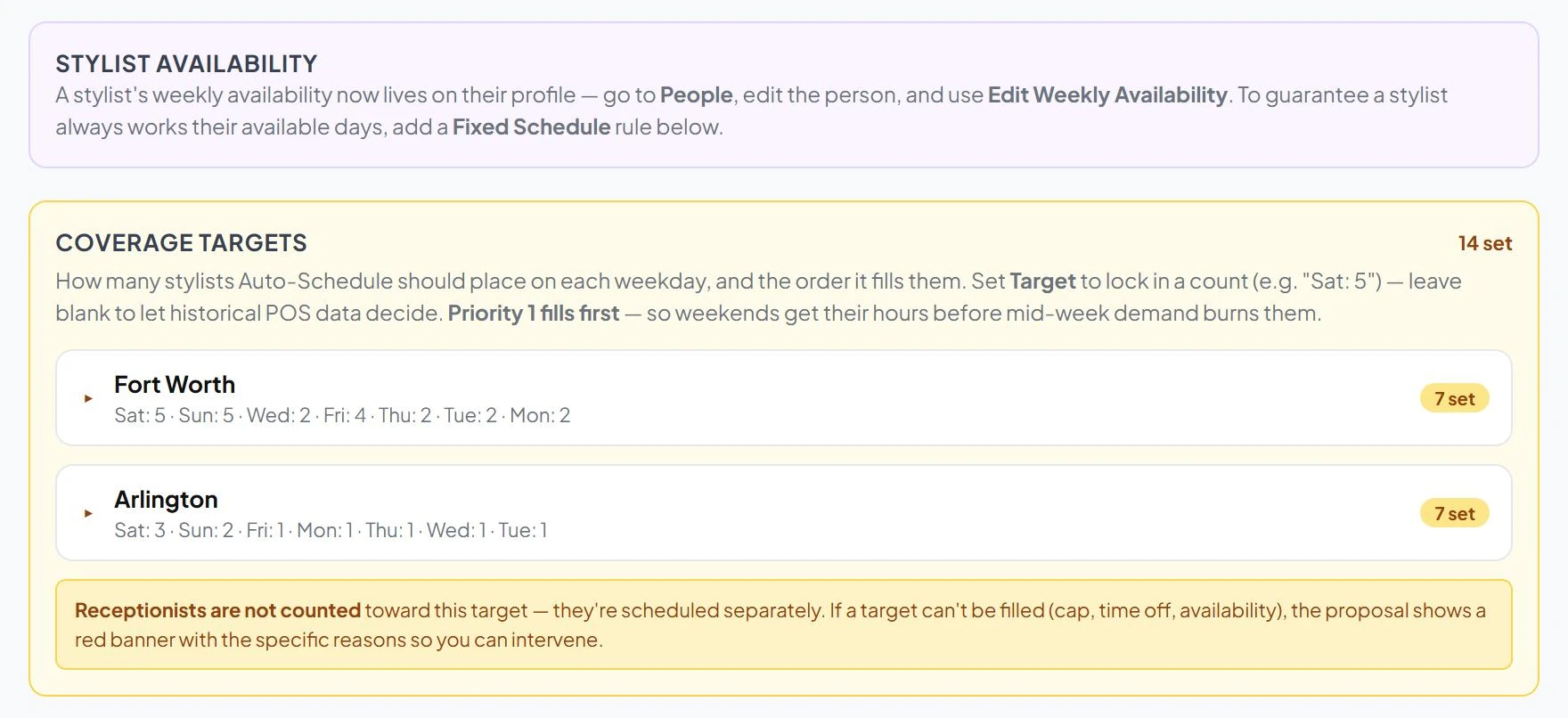
Business hours, closed dates, coverage targets, and any rules you already schedule by.
Each stylist's days and hours. Auto-Schedule treats these as hard limits.
Run Auto-Schedule, adjust the draft, publish, and push to Shortcuts.
Questions
No. Shortcuts stays your POS and booking system. What Is My Schedule builds the staff schedule and sends the approved hours into Shortcuts for you.
Always. The draft is yours to edit: move, retime, add, or remove any shift. Nothing reaches your team or the store until you publish and push it.
Set it in their weekly availability or approve their time-off request. Both are hard limits, so Auto-Schedule will not place them on that day.

No app store needed. It runs in any phone's browser, and staff can add it to their home screen in a couple of taps. From then on it opens from its own icon, full screen, and looks and feels like any other app on their phone.
One active login: a stylist, receptionist, or manager. Deactivating someone who leaves frees their seat for the next hire.
Choose a seat pack and add a card through Stripe's secure billing portal. If you decide not to continue, the account is switched off and you're never charged.
Only the people you add to your franchise, limited by their role. Other franchises on the platform cannot see your stores, staff, or sales.
Ask for a demo and we'll build a sample month from your store's POS history, so you can judge it on your own numbers.
Request a demo